
Charles Schwab
Overview
Follow these Charles Schwab custodial connection instructions to connect your Schwab data to Greenboard.
Step 1: Go to the Schwab Advisor Center
The Firm Security Admin must go to the Schwab Advisor Center.
Click on Account Management
Click on Forms Library
Step 2: Locate the Request for Data Access Agreement form
Use the search bar to type "Data" and locate the Request for Data Access Agreement form. On the right side of the screen you should see a Submit Request button, which will bring up a form.
Step 3: Fill out the form
Fill out the following information on the form:
Firm Name and Master Account Number(s)
Third-Party Vendor: Select "Other" from the Schwab vendor list, then manually enter:
Vendor Name: Greenboard
Contact Name: Dave Feldman
Email: support@greenboard.com
Data Access Requested: Specify that you would like to share Daily Data Files with Positions, Balances, and Transactions.
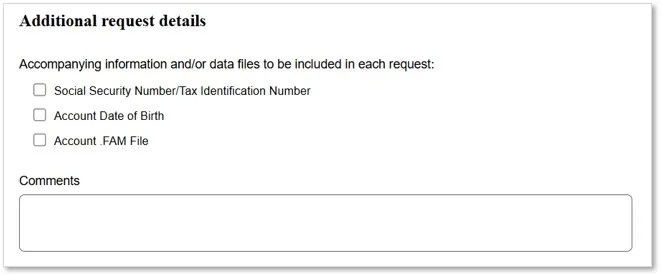
Note: If your firm name is different from the firm name listed at the top of the form, please include your firm name in the Comments section.
Step 4: Wait for Schwab to respond
The Schwab team typically responds within 3 business days. The process will require a DocuSign prior to the data feed being established.
Questions? Contact support@greenboard.com.