
Google Chat
Overview
These Google Chat monitoring access instructions show how to add Greenboard's Client ID and scopes under Domain Wide Delegation in the Google Admin Console so Greenboard can archive Google Chat.
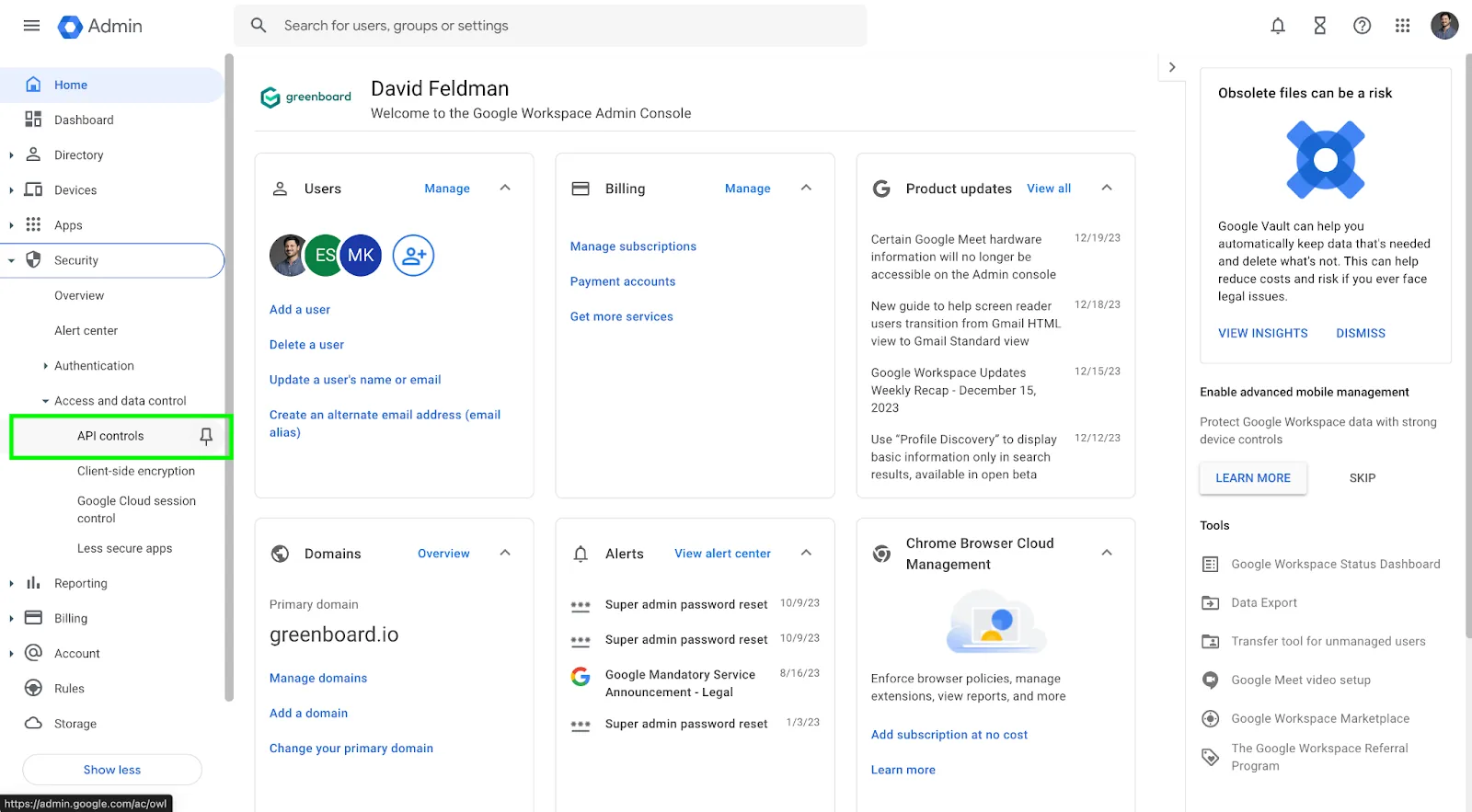
Step 1: Navigate to API Controls
In Google Admin Console, navigate to API Controls.
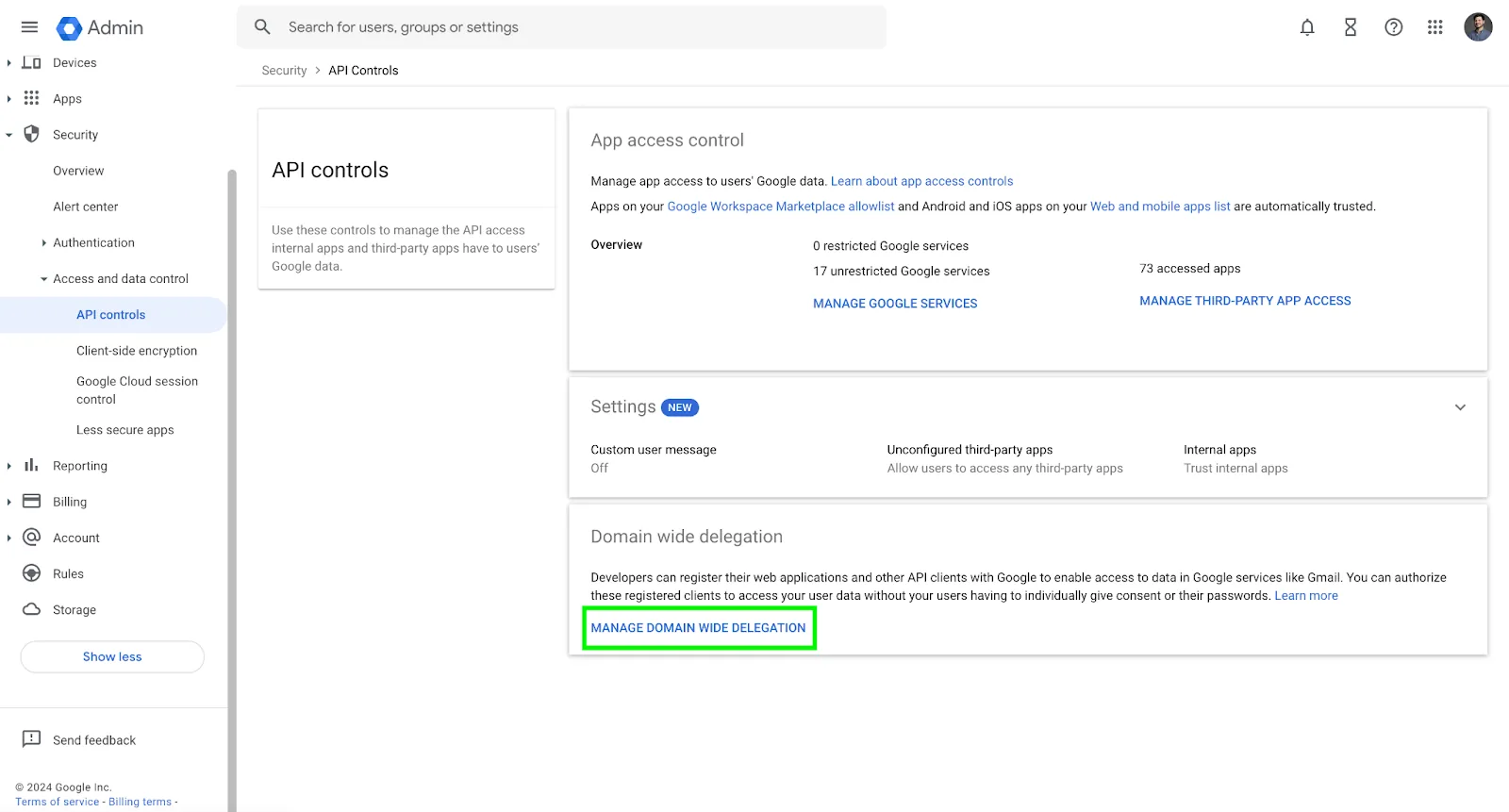
Step 2: Manage Domain Wide Delegation
Click Manage Domain Wide Delegation.
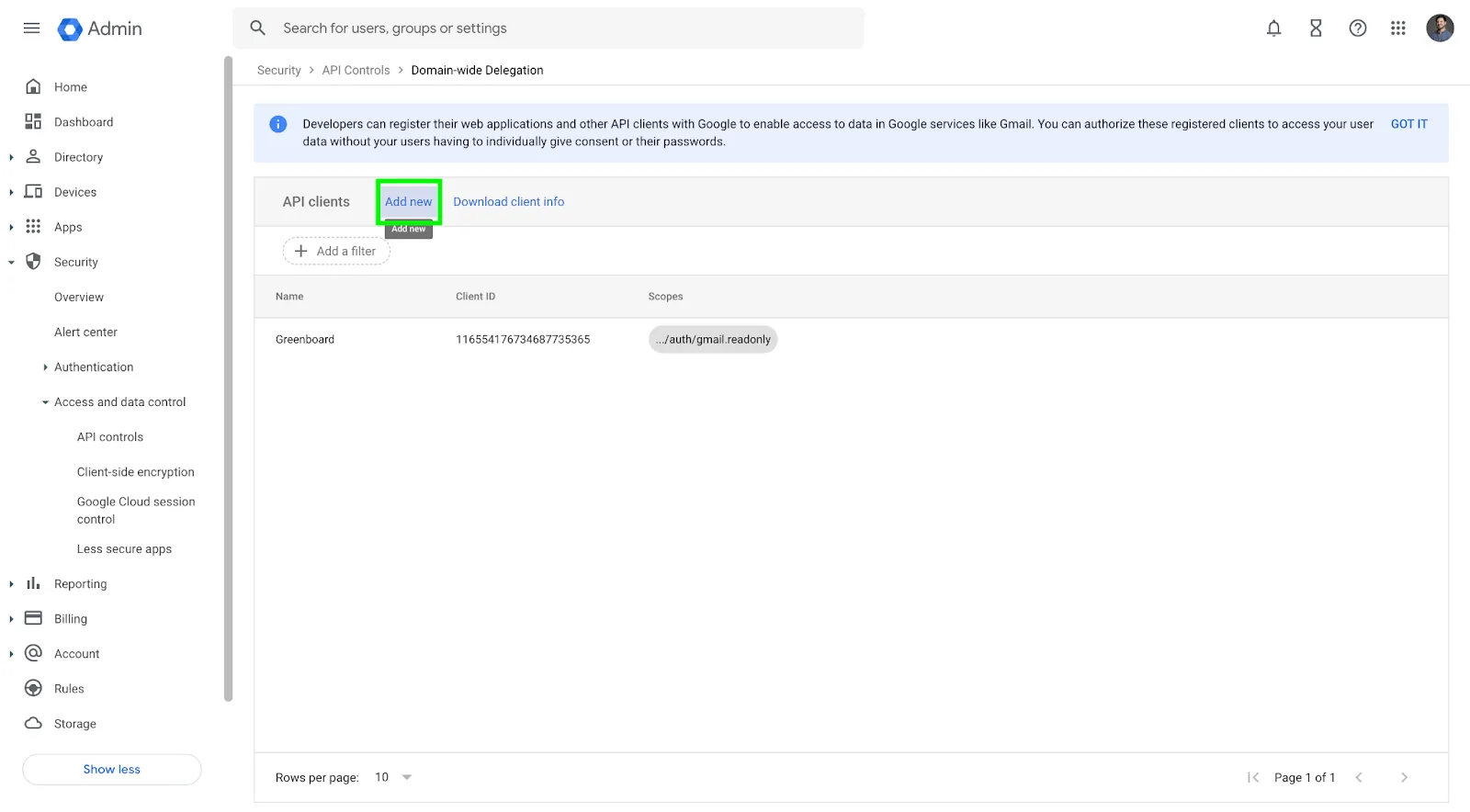
Step 3: Add Greenboard Client ID and scopes
Client ID: 116554176734687735365
Scopes:
Questions? Contact support@greenboard.com.